
Reports
See what the shop made without a spreadsheet
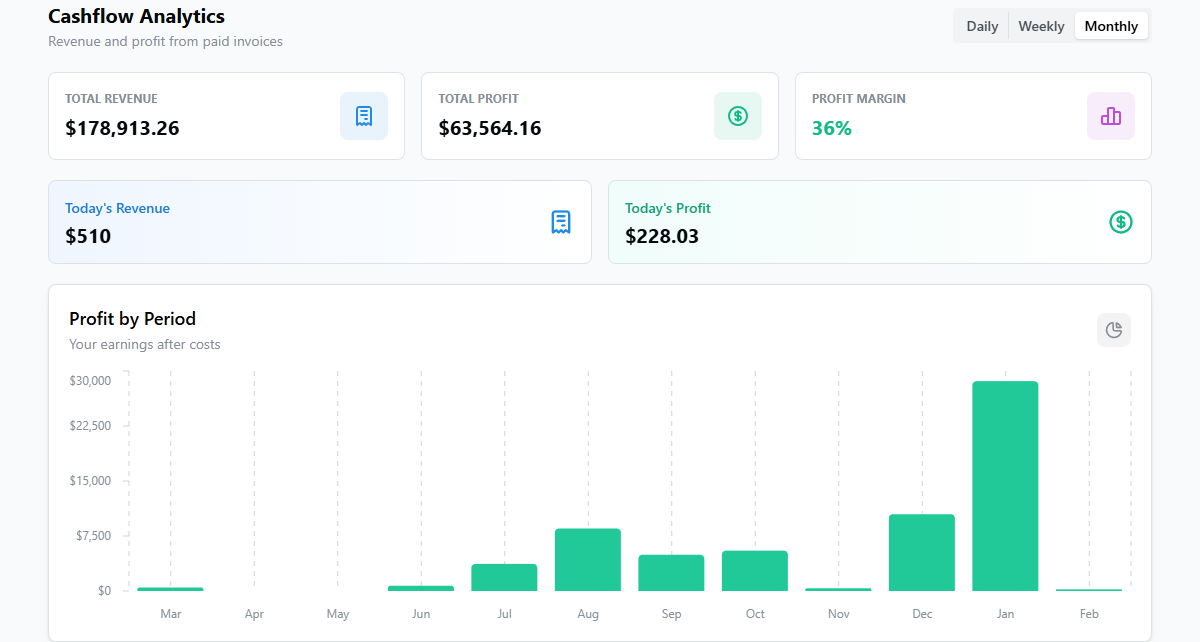
Sales, payments, and tax add themselves up as you write invoices. Open a dashboard instead of tallying tickets at the end of the month.
What changes
Month-end stops being a shoebox
The numbers are already added up, so you spend the time reading them, not entering them.
- Know what you made
- See sales and payments by day, week, or month without adding up a drawer of tickets.
- Watch it grow
- Compare this month to last and see whether the shop is actually moving in the right direction.
- Tax time is quieter
- Pull a tax summary instead of reconstructing the year from a pile of paper.
- No spreadsheet night
- The reports are already built, so you're not exporting and formatting at the kitchen table.
Features
What you'll actually use every month
The reports a shop owner actually opens.
- Sales reports
Track sales by day, week, month, or year. See the trend and compare one period to another.
- Payments
See what's been paid and what's still outstanding, so you know who to follow up with.
- Services performed
See which services you're doing most, so you know where the shop's revenue really comes from.
- Customers and vehicles
See customer and vehicle activity, so you can tell repeat business from one-time work.
- Tax summary
Pull the tax you've collected for a period instead of rebuilding it from invoices by hand.
- Export and QuickBooks
Export the numbers, or sync invoices and payments to QuickBooks to keep the books current.
How it works
Insights without the busywork
You run the shop as normal. The numbers build themselves.
Write invoices as usual
Every invoice and payment feeds the reports automatically. There's no extra data entry.
Open a dashboard
See sales, payments, and activity at a glance whenever you want a read on the shop.
Pull a report
Filter by date to get sales, payments, services, or a tax summary for the period you need.
Act on it
Use what you see to chase unpaid invoices, price better, and lean into your best work.
Frequently Asked Questions
What reports are included?
Reporting covers sales, payments, services performed, customers, vehicles, and tax. The numbers build from the invoices you write, so there's nothing extra to enter.
Can I export the data?
Yes. You can export report data, and you can sync invoices and payments to QuickBooks to keep your accounting records current.
How far back does the data go?
Your data is available for as long as you've been using Repair Receipts, so you can compare a current period to any earlier one.
Which plan includes reporting?
Reporting and analytics are on the Established plan at $44.99/month, which also adds vehicle specification lookup, photo storage, the labor guide, and QuickBooks integration.
Do I have to set anything up?
No. As long as you're writing invoices, the reports fill in on their own. You just open a dashboard when you want to see where the shop stands.
See your numbers here
Start free, and reporting is ready when you move up to the Established plan.