
Getting started
There's almost nothing to set up
You don't need a weekend or a training class. Add a customer, scan a VIN, send an estimate, and the first real invoice goes out on the first car you try.
What changes
The setup that usually stops you isn't here
No migration, no training day, no card. The reasons shops put this off for a year don't apply.
- Nothing to migrate
- Start with the cars that come in tomorrow. Your old records stay right where they are.
- First invoice today
- The first real invoice goes out on the first car you try it on, not after a setup weekend.
- A human on email
- Stuck on something? Email support@repair-receipts.com and get help from a person who knows the product.
- Nothing to unwind
- Free plan, no card, and the pad stays in the drawer. If it's not for you, there's nothing to undo.
Features
How getting started actually goes
The honest version: there isn't much to it.
- Add a customer
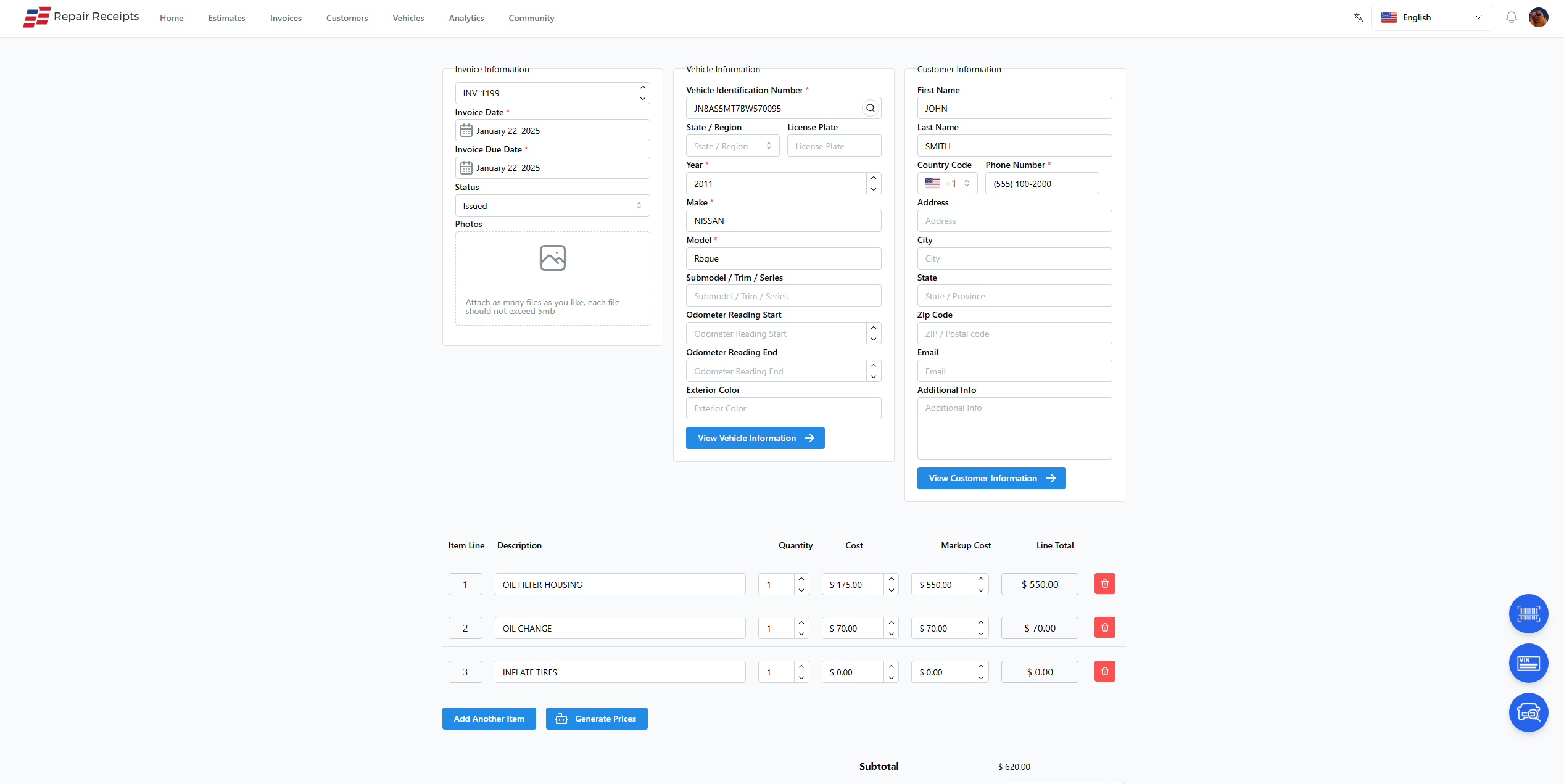
Type in a customer and their vehicle, or scan the VIN and let the details fill themselves in.
- Write a real ticket
Build an estimate or invoice on the first car you try. There's no sandbox to graduate from.
- Keep the pad as backup
Your paper pad stays in the drawer while you get comfortable. Nothing forces you to switch overnight.
- Email support
Send a question to support@repair-receipts.com and hear back from someone who works on the product.
- Your data isn't locked in
Export your numbers or sync to QuickBooks. What you put in, you can get back out.
- Bring your team on one at a time
If a tech can use a phone, they can write a ticket. Add people as they're ready, no class required.
How it works
From sign-up to first invoice
Four steps, and none of them is a setup weekend.
Sign up free
Create an account with no credit card. The free plan covers unlimited estimates and invoices.
Add the next car
Scan the VIN or type the plate on the next car that rolls in. Skip importing anything.
Send the first ticket
Build an estimate or invoice and send it. That first ticket is a real one, not a practice run.
Email us if you're stuck
Reach support@repair-receipts.com any time you want a hand, and keep the pad as backup meanwhile.
Frequently Asked Questions
How do I get help if I'm stuck?
Email support@repair-receipts.com and you'll hear back from someone who works on the product. Most questions are about getting a first invoice out, and that's usually a short answer.
Do I have to import my old records to start?
No. You start with the next car that comes in. Your old paperwork stays where it is, and the app builds up from your first invoice forward.
Is it hard to train my techs?
There's not much to train. They scan a VIN and pick from a list. If they can use a phone, they can write a ticket, so you can bring people on one at a time.
What if I decide it isn't for me?
The free plan has no card and no contract, and your paper pad stays in the drawer. There's nothing to unwind if you stop, and you can export your data or sync it to QuickBooks.
What does it cost to start?
Nothing. The free plan covers unlimited estimates and invoices with no credit card. Paid plans start at $19.99/month when you want the VIN scanner, plate lookup, and auto-generated descriptions.
Write your first ticket here
Free plan, no credit card, and email support@repair-receipts.com whenever you need a hand.